

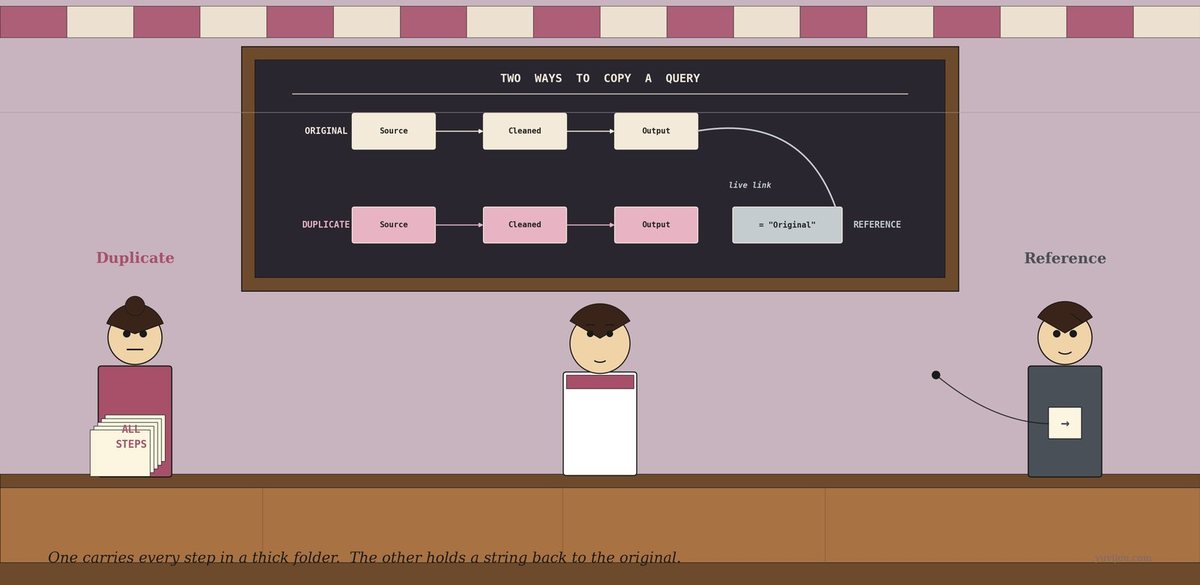
It’s a Wednesday morning. The kettle hisses. The fan turns slowly above. Reena is at her counter with the laptop open, Power BI on screen, the Power Query editor ready. She has loaded her thirty-day sales notebook, cleaned it (Source → Removed Empties → Changed Types → Added Profit → Output), and saved that as a query called Cleaned Sales.
Her cousin is coming on Sunday. Last week he asked for one new dashboard. Today, while she was making it, he sent a follow-up message: “Reena, off the cleaned query, give me two more — Sales by Product and Sales by Region. Both should slice from the same cleaned base. Use the right-click menu.”
She right-clicks Cleaned Sales and Power BI offers two options that look annoyingly similar:
Duplicate Reference
She has no idea which to pick.
Then her cousin’s text arrives, late as always: “Pick wrong, and tomorrow when I fix a typo in the source, only one of your two new tables will see the fix. Guess which one.”
She mutters, “How can two options that both make a copy give me different answers tomorrow?”
The awning rustles.
A woman steps in under the awning — broad-shouldered, businesslike, hair in a tight bun on top of her head. She is carrying a thick photocopied folder under her left arm, the spine bulging. The cover of the folder, in fat plum capitals, reads: ALL STEPS. She sets the folder on the counter with a small thump.
She says, “I am Duplicate. I copy everything. Every step in your query — Source, Removed Empties, Changed Types, Added Profit. All of them. Photocopied into a brand-new query that has no link back to the original.”
A second woman drifts in behind her — quieter, neater, short hair, a small slip of paper held loosely in one hand. From the slip, a thin string trails out the awning and disappears in the direction of the back wall. The slip itself has only a single arrow on it: →.
She says, “I am Reference. I copy nothing. I just take the output of your existing query and start from there. My new query has one line of code: use Cleaned Sales. That string you see going into the back of the stall? That’s me, attached to the original.”
Reena looks between them. “So you both make a new query.”
“Yes.”
“But the new query has a totally different relationship to the original.”
They reply, together, “Exactly.”
Duplicate speaks first
Duplicate flips her thick folder open. The pages inside are stamped Source, Removed Empties, Changed Types, Added Profit, Output — one stamp per page. She slides the folder across to Reena.
She says, “Look. Every step from your Cleaned Sales query — photocopied into my new query. I have my own Source step. My own type changes. My own Profit formula. The new query is completely independent. It does not look at Cleaned Sales at all.”
Reena says, “Tidy. So if I name my Duplicate Sales by Product and start adding new steps — Group By Product, Sum Sales — those go on top of my own copies of all the cleanup steps.”
“Stacked on top, yes. Self-contained from top to bottom.”
Reena nods. “And what if my cousin fixes a typo in the original Cleaned Sales source — say, adds a missing date filter at the bottom?”
Duplicate hesitates. She says, “Then I do not see the fix. I have my own copy of the source step with the original typo. Until you go into my Duplicate and fix the same typo by hand, the bug lives in my query forever.”
Reena raises an eyebrow. “So if I make ten Duplicates of Cleaned Sales, and then upstream someone fixes a problem in the source…”
“You have to fix it in all eleven queries by hand. Or accept that ten of them will be wrong until refresh, and probably forever.”
A small steam-curl of frustration rises above Duplicate’s head.
Reference tries
Reference sets her thin slip of paper on the counter beside Duplicate’s bulging folder. The contrast is immediate. The slip has just one line on it:
= #"Cleaned Sales"
She says, “That is the entire body of my new query. One line of M code. Take the output of Cleaned Sales and call it the Source step of this new query.”
Reena asks, “And what if I want to add Group By Product, Sum Sales on top?”
“Add them. They become Step 2, Step 3, Step 4 of my query. But Step 1 — my Source — is still that one-liner pointing back to Cleaned Sales. The string is always tied.”
Reena says, “What if my cousin fixes a typo in Cleaned Sales upstream tomorrow morning?”
Reference shrugs. “I see the fix immediately on the next refresh. My Step 1 is whatever is currently in Cleaned Sales. If Cleaned Sales changes, so does my starting point. I am downstream.”
Duplicate looks slightly betrayed. “She is using me as a function. Her query’s Step 1 is just a function call.”
Reference says kindly, “Yes — but that is the whole point. If your shared cleaning logic ever needs a fix, I do nothing. The fix flows down to me automatically. You” — she nods at her sister — “would have to fix it in every photocopy.”
What just happened
Reena pours herself a glass of tea for the first time all morning, sits down on her own counter, and looks at the two of them.
She says, slowly, “So you both make a new query off of Cleaned Sales. But you” — she points at Duplicate — “deep-copy the steps. The new query stands alone. And you” — she points at Reference — “just plug into the output. The new query is downstream of the original.”
Both nod.
Reena asks, “And in textbooks?”
Reference says, “I am called a reference. In Power Query M code, my new query starts with = #\"Cleaned Sales\" as Step 1. That # syntax means the named query. My query graph has a live edge pointing back to Cleaned Sales. If Cleaned Sales updates, I update.”
Duplicate says, “I am called a duplicate. My new query starts with the same Source step as the original — connecting directly to the file or database — and then has its own copy of every transformation. There is no edge in the query graph from me back to Cleaned Sales. We are siblings, not parent-child.”
Reena nods. “Reference for shared lineage. Duplicate for full independence.”
Reference adds, “And if your dataset is large, I am cheaper. I share the cleaned, type-corrected, profit-augmented base with the original. My friend here re-runs the cleanup steps from scratch every refresh, even though the answer is identical.”
Duplicate glares. “But I am fully independent. If you delete Cleaned Sales, I keep working. She stops working the moment her string is cut.”
Reference sips an imaginary glass of tea. “On a thirty-row notebook, that is one millisecond either way. On a million-row table, the gap matters.”
The same chat, in a chart
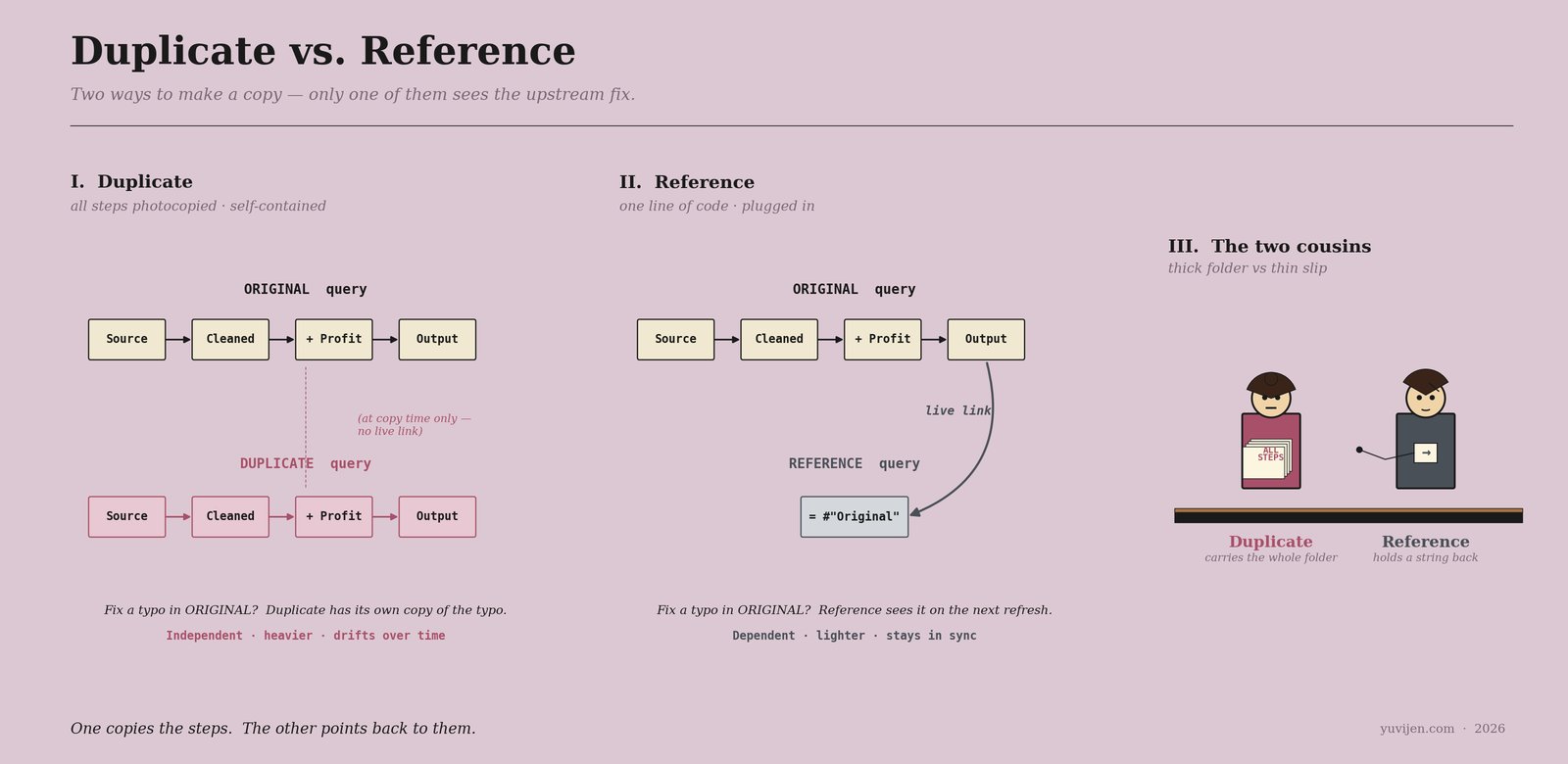
That picture is exactly the same conversation, drawn. The first panel is Duplicate’s geometry — every step from the original copied into the new query, with no live link back. The second panel is Reference’s geometry — a single one-line query that plugs straight into the original’s output, with a live link that survives every refresh. Same answer today. Different behaviour the moment the upstream changes.
One last warning before they leave
Duplicate packs her thick folder and slides it under her arm. She says, “Three traps.”
She counts them off.
“One. Don’t use me when you actually want shared lineage. If Sales by Product and Sales by Region are both supposed to show the same cleaned data, sliced two different ways, then both should be Reference. If you Duplicate them, then six months from now you will fix a bug in one and forget the other, and your two reports will silently disagree.”
“Two. Don’t use her when you actually want independence. If the new query needs to read the source file with different filters at the source step — say, include rows that the original explicitly removed — Reference forces you to add those rows back later, downstream, which is awkward. Duplicate lets you change the cleaning logic from the very first step. Use her when the new query genuinely needs different upstream behaviour.”
“Three. Reference creates a query graph. If you Reference Cleaned Sales from five other queries, and Cleaned Sales itself References Raw Sales, you have a small dependency tree. Power BI will compute it efficiently — Cleaned Sales is materialised once and shared. But if you ever delete Cleaned Sales, all five downstream queries break. Be aware of the tree.”
Reference adds, “And one defence of Duplicate. Sometimes you genuinely want a snapshot — a frozen copy of the data as of today, that should not change when the source changes. That is a legitimate use of Duplicate. Year-end reports, audit logs, regulatory snapshots. Independence is the feature.”
Reena nods. “Reference by default for shared cleaning. Duplicate when I want a snapshot or different upstream behaviour. Don’t mix them up — the silent kind of bug is the worst kind.”
Both confirm. “Yes.”
Quick gut-check
Three real Power BI scenarios. Duplicate or Reference?
- “Off your
Cleaned Salesquery, build me aSales by Productsummary and aSales by Regionsummary. Same cleaning, two different group-bys.” - “Take a snapshot of last quarter’s data exactly as it stood at the close of the books. Anything that changes upstream after this should NOT update this snapshot.”
- “Off the same source CSV, build a parallel query that includes the rows the main query removed (we want to investigate the rejected rows separately).”
Scenario 1. Reference for both. Same cleaning logic; if a fix is made upstream, both summaries should see it. Two References off Cleaned Sales. Scenario 2. Duplicate. A snapshot is supposed to be frozen. Reference would update on the next refresh, defeating the whole point. Duplicate gives you a self-contained, immutable copy. Scenario 3. Duplicate — and then change the cleaning logic at the source step (remove the row-exclusion filter, or invert it). Reference would inherit the row-exclusion from the original, and undoing it downstream is harder than just starting fresh.
The pattern: Reference if you want to inherit upstream changes. Duplicate if you do not. Almost every “two slices off the same cleaning” scenario is Reference. Most snapshot and divergent-cleaning scenarios are Duplicate.
The bill
Reena marked her two new queries on a small chit beside the cash box: Sales by Product — R, Sales by Region — R. Both Reference. She also made one Duplicate — a frozen snapshot of last month’s data that her cousin had asked for separately, that he wanted unchanged even if she fixed something upstream. She labelled that one April Snapshot — D.
The fan ticked. The kettle hissed. Duplicate packed her thick folder and went to go photocopy someone else’s afternoon. Reference left her thin slip and her small string and pulled up a stool — Reena suspected she would just sit there, attached, until the next refresh.
Use them together. Reference for shared cleaning, downstream summaries, anything that should track the source. Duplicate for snapshots, audit copies, and queries that genuinely need to diverge upstream. One copies the steps. The other points back to them. Pick wrong and tomorrow your dashboard either misses a fix — or unhelpfully receives one.
For the Power-BI-curious
The M code each generates.
–
DuplicateofCleaned Salesproduces a brand-new query whose first step is the same Source connector —Csv.Document(...)orSql.Database(...)— with all subsequent steps copied verbatim. –ReferenceofCleaned Salesproduces a query with a single first step:= #"Cleaned Sales". That’s it. New steps go on top.Equivalents in other tools.
– dbt:
ref('cleaned_sales')is exactly Reference. dbt does not have a Duplicate equivalent — its philosophy is shared lineage by default. – Tableau Prep: a linked step that branches from a previous step is Reference. Copying a flow into a new flow is Duplicate. – SQL:CREATE VIEWagainst the cleaning logic is Reference.CREATE TABLE AS SELECTfrom the cleaning logic is Duplicate (and goes stale).The query-graph mental model. Power Query, dbt, and modern data tools think of your transformations as a DAG — a directed acyclic graph. Reference adds an edge in the graph; Duplicate does not. The shape of your DAG determines what gets re-fixed automatically and what becomes orphaned tech debt.
Same right-click menu. Two very different graphs.